Product description
Camera Quality Issue? Shooting Pictures/Videos with SD Card?
1. Switch Light Mode or Night Mode based on the lighting conditions to reach better Camera Quality, the Better Weather, the Better Image Quality;
2. Tablet System will Compress Pixels. Original Quality Pictures/Videos only directly saved in SD card.
Gimbal camera is loose or Camera not work?( Please place and power on the drone on a flat level ground)
Please place the drone on a level surface to power on, the 3-Aixs gimbal needs to start to work and auto adjust the camera horizontally after powering on. And gimbal is loose before powering on the drone.
Re-power on at a flat ground to try again.
Camera Transmission Range issue or Landing Speed issue?
The better background GPS Satellite signals WITHOUT High Obstacles, the better and longer transmission range
Landing Speed is limited to Safe Speed for this Large Drone, will descend slowly during the final 20 meters of altitude for its Safety First
What must be done before First Flights?(Fly outdoor in an open area. Attention Please!!!) or Battery life issue?
1.Fully charge the new batteries first to get more minutes, For New Battery, power level is usual fake
2.Fly high enough over 200FT first at open areas OUTDOOR (The higher, the safer)
3.Keep Away from Trees(Most crashed cases happened with trees!!!)
KEEP AWAY FROM TREES FOR DRONE SAFETY! AVOID CRASHING TREES. No response to the Joysticks?(Low battery Protection Zone)
Please check if there any obstacle around(OAS function is working for not near obstacles, Turn off the OAS)or if the drone low battery(Low battery Safe Return Protection Zone), the drone can't fly out of the zone by any Joystick Commands
2026 Latest Tablet Remote Safe Pro Drone with Obstacle Avoidance&Payload Release

Meticulously deeply upgraded and tested to deliver a perfect experience—featuring Larger Build, More Powerful Configurations, Superior Stability and a host of Innovative Functions—while Steadfastly prioritizing User-friendliness and Safety!
Three main encountered issues from Bingchat drones customers at their first several flights:
1. Crashed into Tree.(Please keep away from trees)
2. Improper operations.(Please carefully checkout our detailed guided video before first flights)
3. Accessory damaged.(Fly high enough to avoid hitting or crashing)
Check out this video access to save your big loss. If any issues happen with your drone, just Email-us for timely trusted support, we will help you with long-term service!
Key Guidance for Bingchat NewAE professional drone
Better Cameras, Longer Battery Life, Longer Range

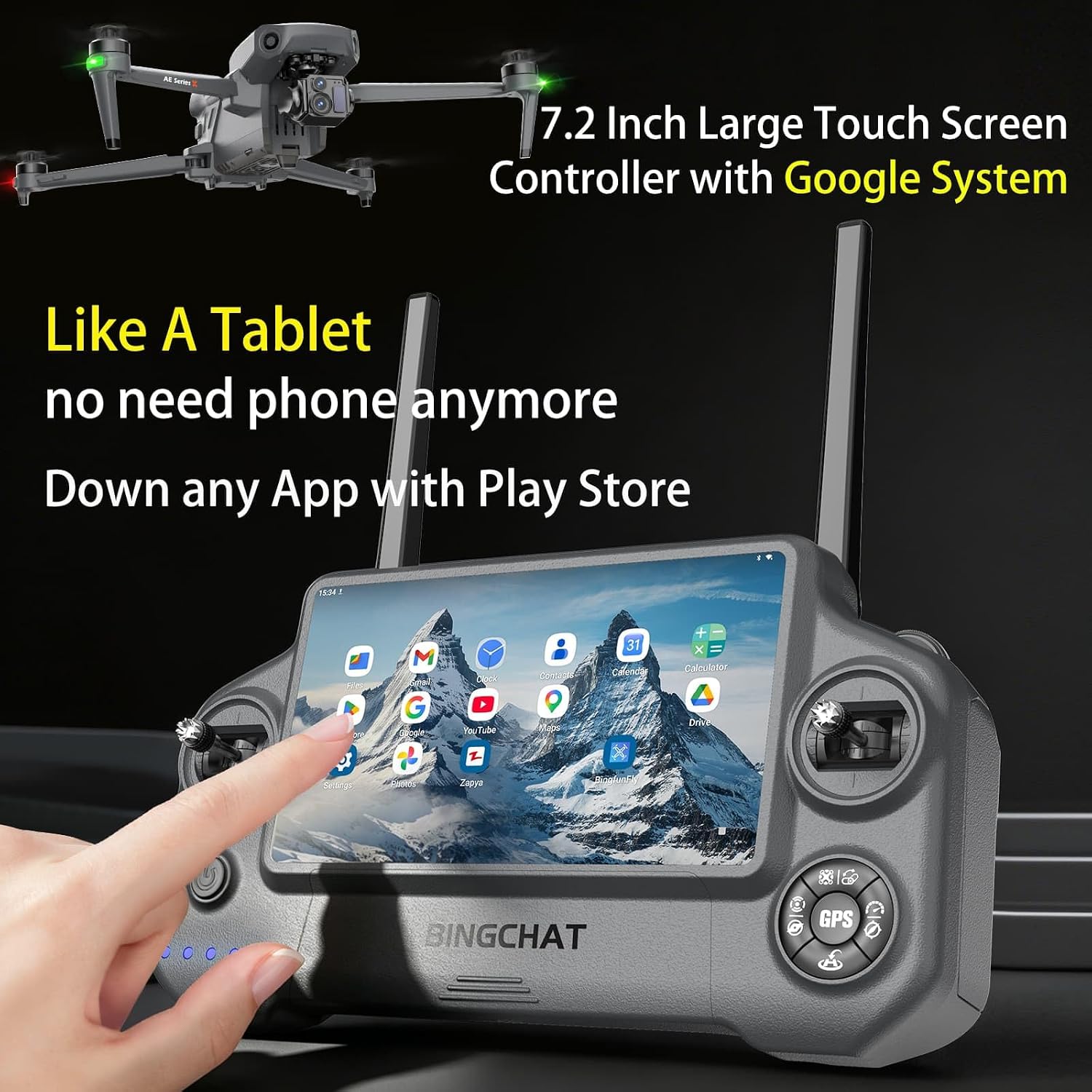
7.2 Inch Large HD Screen Tablet Remote with Google

Dual Lens with Thermal-Filter Mode and Night Mode
More Stable Innovative Functions, Enhanced Safety

Upgraded Payload Release & Innovative OAS Design

Best Drone also Designed for Dark Night Flight Fun
Curated Gift Drone Features-Rich yet User-Friendly

Even More Fun waiting for you to Experience/Enjoy

All-new Exquisite Packaging Gifts for Husband/Dad
For Gimbal Camera: Please place the drone on a level surface to power on, the 3-Aixs gimbal needs to start to work and auto adjust the camera horizontally after powering on.
And gimbal is loose before drone being powered on.
Re-power on at a flat ground to try again if gimbal camera not work.